Valor Mortis on Steam Deck: Performance and Optimization Guide
Optimize Valor Mortis for Steam Deck with our performance guide. Learn the best settings for a stable 30 FPS experience and gameplay tips for this unique first-person Soulslike.
Published: Valor Mortis Wiki Editorial Team
Video Guide
VALOR MORTIS Steam Deck Performance: Is it Playable?Table of Contents
Running Valor Mortis on Steam Deck
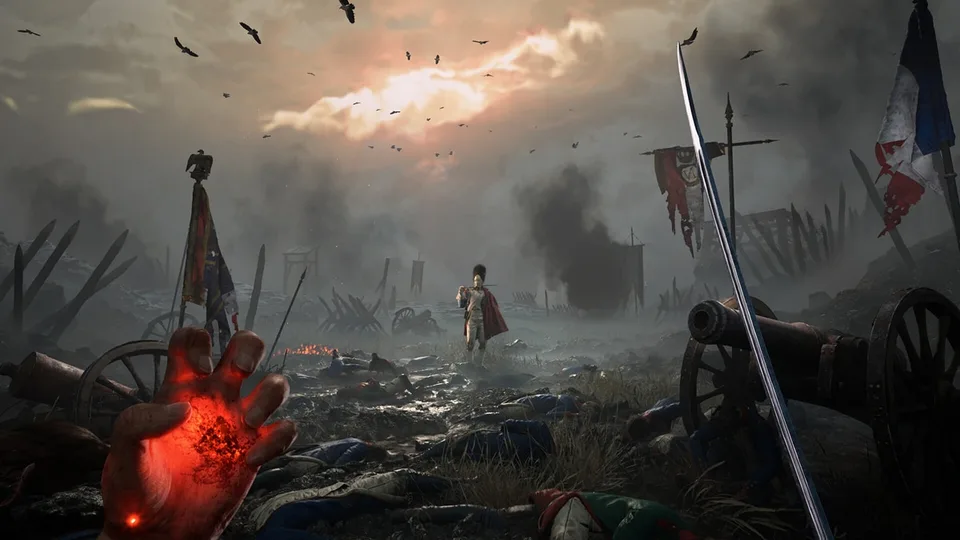
Valor Mortis, developed by One More Level (the studio behind the Ghostrunner series), offers a distinct, first-person twist on the Soulslike genre. While the game is visually striking and polished, bringing this experience to the Steam Deck requires a balanced approach to visual fidelity and frame rate.
According to community testing, the game is definitely playable on the device. However, you should not expect a locked 60 FPS experience across all areas. The game utilizes a demanding engine that can lead to CPU-bound stuttering, particularly when moving through new areas or during initial shader compilation. To get the best out of your handheld session, stability is your primary goal. A locked 30 FPS provides a much more consistent experience for the precise parrying and reaction-based combat that Valor Mortis demands, rather than chasing a fluctuating 40–60 FPS.
Recommended Graphics Settings for Stability
Achieving a smooth experience on the Steam Deck involves lowering visual presets to prioritize frame time consistency. While the game looks impressive even at lower settings, the overhead required for combat fluidity is non-negotiable.
Tip
Recommended Deck Settings
Graphics Quality: Low
FSR (Upscaling): Performance Mode
Frame Rate Limit: 30 FPS (via SteamOS overlay)
At default settings, you might see the frame rate jump into the 50s in less intensive areas, but it will dip significantly during heavy combat or in large, detailed environments. By locking the frame rate to 30 FPS, you eliminate the jarring fluctuations that can ruin your parry timing. Utilizing FSR in Performance mode helps maintain image clarity while ensuring the GPU has enough headroom to handle the game's complex creature designs and particle effects.
Note that you may experience occasional stuttering while traversing maps. This is often tied to shader compilation or background asset loading. These stutters are usually brief and should not detract significantly from the overall gameplay loop, but be aware that they occur.
First-Person Souls-like Experience on Handheld
The shift to a first-person perspective in Valor Mortis changes how you approach the traditional Soulslike formula. In a third-person game, you have a wide field of view to spot ambushes. In Valor Mortis, your situational awareness is restricted. On the smaller screen of the Steam Deck, this makes enemy positioning even more critical.
You will find yourself relying heavily on audio cues and quick camera movements to track enemies surrounding you. Because you cannot easily "see around corners" as you might in a third-person title, the game’s level design—which features many traps and enemies hiding in ambush—feels significantly more dangerous.
Warning
Close-Quarters Combat
Be cautious when fighting in tight corridors or small rooms. The first-person perspective can sometimes make it difficult to judge distance or avoid getting caught on environmental geometry, which can lead to frustrating deaths in intense combat encounters.
Combat and Gameplay Tips for Success
Valor Mortis blends traditional Soulslike mechanics with aggressive, fast-paced action. To succeed, you must master the three pillars of its combat system: the sword, the gun, and Transmutations.
Weapon Mastery
The Sword: Your primary tool for parrying and heavy damage. Remember that different blades have different strengths. For instance, the Rapier is exceptional for parry-focused play and targeting weak points, while the Saber offers a more balanced approach.
The Gun: Do not neglect your firearm. It is not just a secondary tool; it is essential for range and for stunning enemies. Using a gun to hit a weak point mid-combo is often the difference between a successful encounter and a respawn at the last Lantern.
Transmutations: These supernatural abilities are game-changers. Use them to control the battlefield. For example, applying stasis to an enemy and then following up with a Blunderbuss shot can deal massive damage.
Navigation and Exploration
The game lacks a traditional map, which can make navigation in the game's expansive, forest-heavy, or complex areas feel daunting.
Exploration Best Practices
Use the Hub: If you are unsure where to go, return to the church hub area. The path forward is often revealed or accessible from this central point.
Look for Loops: The game features excellent level design with shortcuts that loop back to previous areas. Always look for locked doors or paths that can be opened from one side.
Prioritize Lanterns: These function as your bonfires. Always prioritize finding and activating them to secure your progress and currency.
Frequently Asked Questions
Is the story easy to follow in first-person?
Yes. Unlike some Soulslikes that bury their narrative in cryptic item descriptions, Valor Mortis features clear narration and documents that help you piece together the story of the protagonist, William, and the distorted world he inhabits.
Does the game require parrying?
While parrying is a core mechanic, the game offers flexibility. You can build your character to rely on dodging, guns, or Transmutations if you find the parry timing too difficult, though mastering the parry remains the most efficient way to handle many bosses.
Can I play this offline on the Steam Deck?
As a single-player experience, Valor Mortis generally functions well offline, though you should ensure you have launched the game at least once while online to allow for initial shader compilation and any necessary updates.